

Running an AcroYoga festival as a team: roles, money and one inbox
Two people, one festival: how to share decisions, money, participant data and the inbox with co-organizers, and how to hand over without chaos.
 By Sandro, founder of AcroSpot5 min read
It started as a jam in the park. Two years later it is a festival weekend with three teachers, a venue to pay and a kitchen crew, and a simple question got hard: who decides?
Your partner says yes to a teacher on WhatsApp whom you had already turned down. One participant asks about a refund on Instagram, another by e-mail, and you both answer, differently. The registration sheet lives in your account, the bank account is in your partner's name, and the friend who helped at check-in still has a download with the phone numbers and allergies of every guest. Nobody did anything wrong. You just never agreed on who does what.
This article is about running an AcroYoga event, or a whole community, with more than one person: festivals, retreats, workshop weekends and regular jams. Below: how to share the work with any tool, and how AcroSpot gives your team one inbox and the right keys for everyone. If you are just starting out, begin with how to organize an AcroYoga event.
Three questions to answer first
Most arguments in an organizer team come from three things nobody said out loud.
- Who decides what? Program and teachers, prices, the venue and its rooms, who gets a free place. Split it by area, and name the few decisions you always take together.
- Who touches money and personal data? Ticket money, the payout account, teacher pay, and the participant list with phone numbers, diets and allergies. As few people as possible, and everyone knows who they are.
- Who answers participants? One inbox, not five. A participant should get one answer, and all of you should see it.
How to share the work, with any tool
Write the roles down
One page is enough: who owns the event and its bank account, who runs the program, who is the contact for participants, who runs check-in. Add what happens if one of you drops out a month before. It feels formal between friends; it is what keeps the friendship.
Give people only the access they need
The person at the welcome desk needs names and tickets, not the bank account. In a shared spreadsheet, keep money and private data on a separate sheet only the core team can open, and delete downloaded lists after the event.
One inbox for participants
Use one shared address for the event, or one person who answers and passes things on. Avoid answering from private accounts: when that person leaves, the history leaves with them. Write down what was promised ("Mia pays the rest at check-in") where everyone on the team can see it.
Plan the handover from day one
Communities outlive their founders. Keep logins, contacts and documents in a place the team owns, not one person. Then a handover is a conversation, not a rescue mission.
How AcroSpot helps
On AcroSpot, events belong to an organizer, not to one person's account. When you start organizing, you choose who organizes: you as an individual, a teacher team, or an organization. Two people running a festival are usually best off as an organization, so the events and the page belong to the team.
Everyone gets the right keys
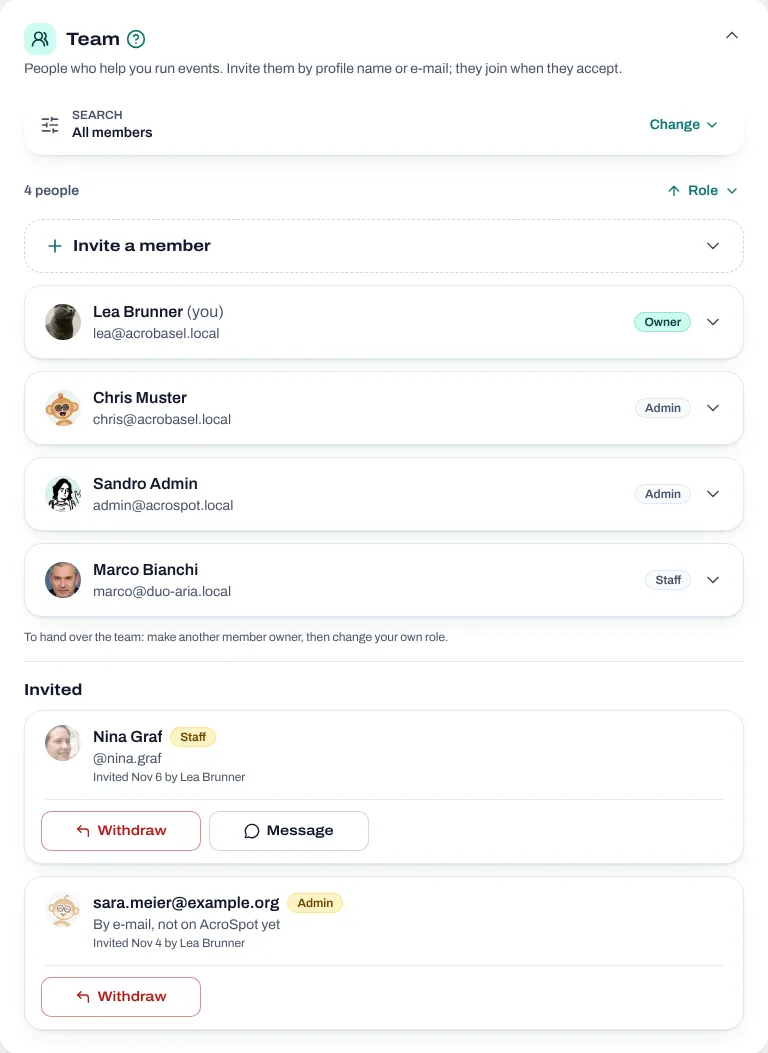
Everyone who works for your organizer has a role, so nobody holds more than they need:
- Owner: everything, including payouts, settings and the whole team.
- Admin: events, tickets, registrations, teachers and teacher pay; invites and manages the staff.
- Staff: works in the events: registrations, check-in and the timetable (see how to build a festival timetable).
You invite people by profile name or e-mail, and nobody is added without saying yes. Owners invite admins and staff, admins invite staff only.
A co-organizer for one weekend, without your bank account
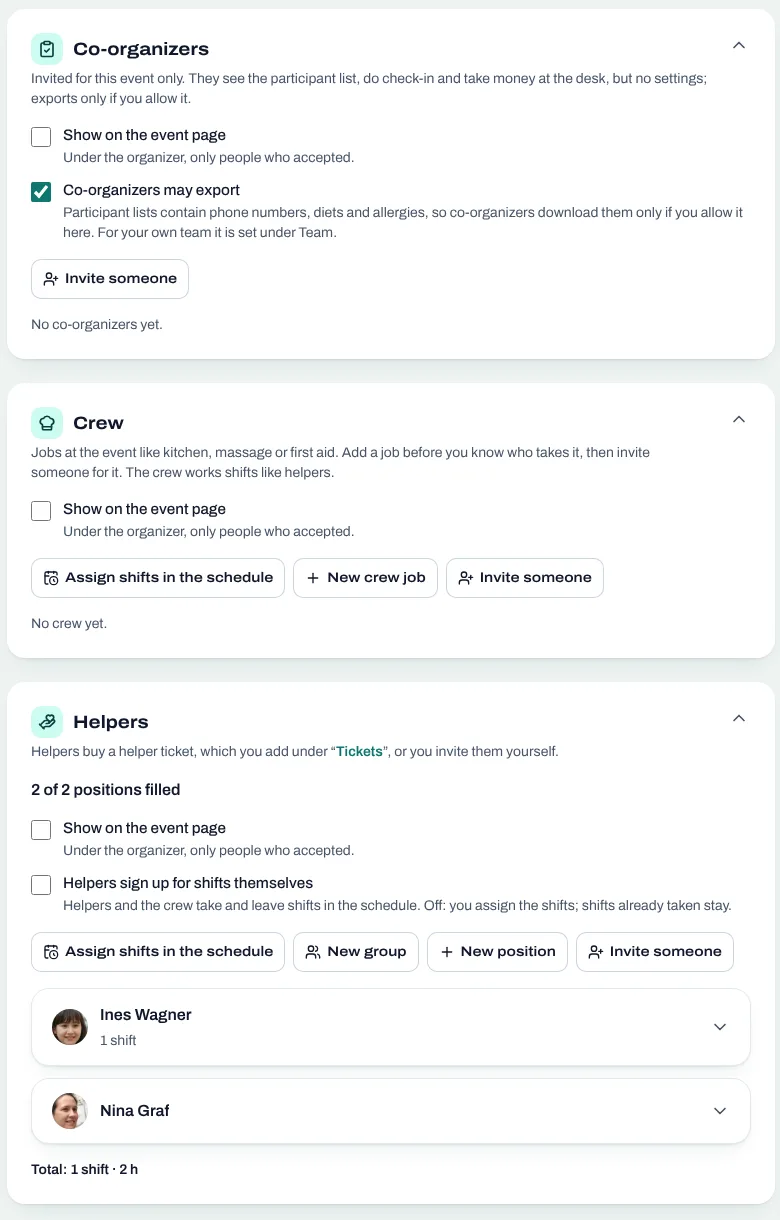
A friend who helps run just one weekend doesn't need to be on your team. Add them to that event only, for free or with a discount. They get the participants and the check-in desk, with ticket scanning, and never see your organizer area, other events, settings or money. For crew and shift volunteers, read organizing helpers at a festival.
Participant data stays with the people who need it
A participant export holds phone numbers, diets and allergies. Owners and admins export (Premium). Staff and co-organizers export only when the owner allows it, and both start switched off, so sharing data is always a deliberate step.
One inbox for the whole team
When a participant writes to the organizer, the message reaches every owner and admin. Your organizer has its own row of chats with participants, with how many wait for an answer. Each event series has its own chat, and every answer shows who on the team wrote it.
Two people don't answer the same question twice
A message nobody answered yet also waits in the team's to-do list, together with payments to confirm and offers to help. Each task shows who has taken it, and answering clears it for everyone, so nobody writes a second, different answer.
Handing over without a rescue mission
To hand over, make another member owner, then lower your own role or leave the team. The last owner can't step down, so your organizer is never left without one. The events, the page and the chats stay with the organizer, not with you.
Checklist for organizing together
- Agree who decides what, and which decisions you take together.
- Keep money and personal data with as few people as possible.
- Answer participants from one shared inbox, and agree on an answer time.
- Give each person the role they need: owner, admin, staff, or co-organizer for one event.
- Allow exports only for those who really need them.
- Make sure two people could take over at any time.
Start on AcroSpot as an organization: your events, chats and payouts belong to the team, not to one person's phone. Send a short request and we set it up with you. AcroSpot for organizers
Read next

How to organize an AcroYoga festival or event, step by step
Jam, workshop, festival or retreat: the steps of organizing an AcroYoga event with a checklist, from venue and tickets to flyer and base balance and check-in.
5 min readRead
Festival volunteers: how to find, schedule and thank your helpers
Volunteer shifts, helper tickets and a welcome desk you can hand over: how to run an AcroYoga festival with a happy crew instead of doing it all alone.
5 min readRead
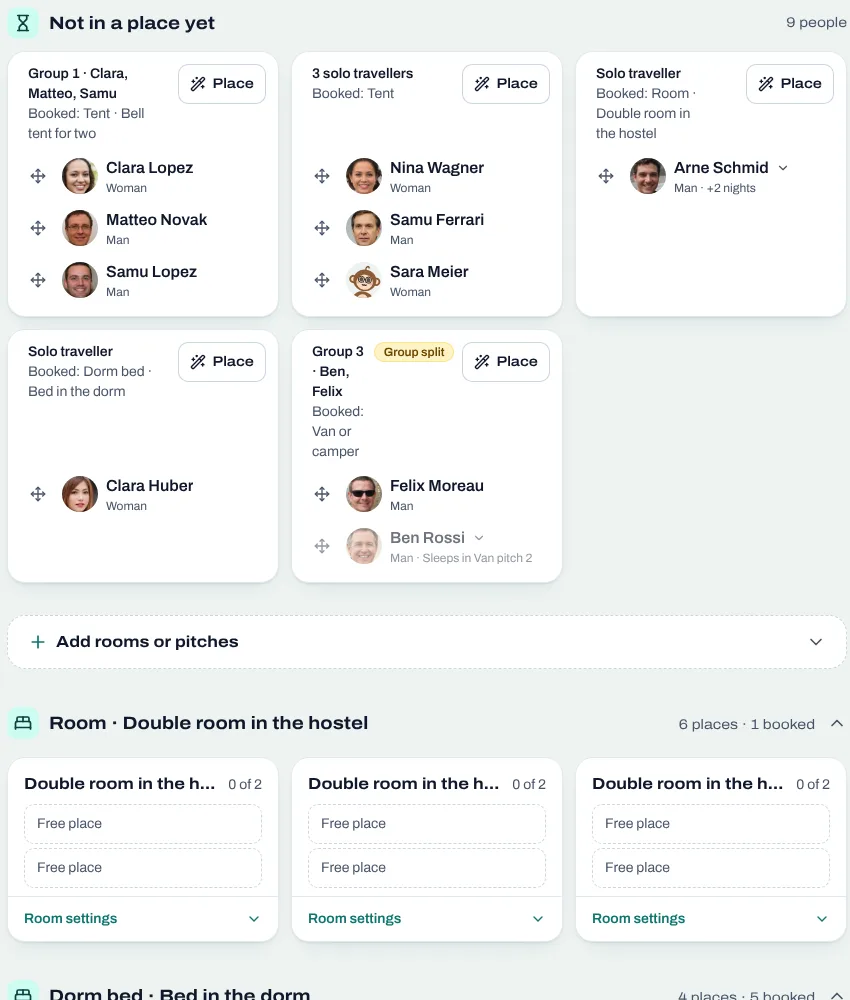
Room allocation for festivals and retreats: rooms, dorms, tents, vans
Sell rooms, dorm beds, tents and van spots with your tickets, collect room wishes, keep women-only dorms and print the room plan of your AcroYoga festival.
5 min readRead