

Festival timetable template: how to plan an AcroYoga schedule
A festival timetable template and guide: tracks, slots, demo rounds, breaks, levels and fair teacher loads, and how to change the plan calmly.
 By Sandro, founder of AcroSpot5 min read
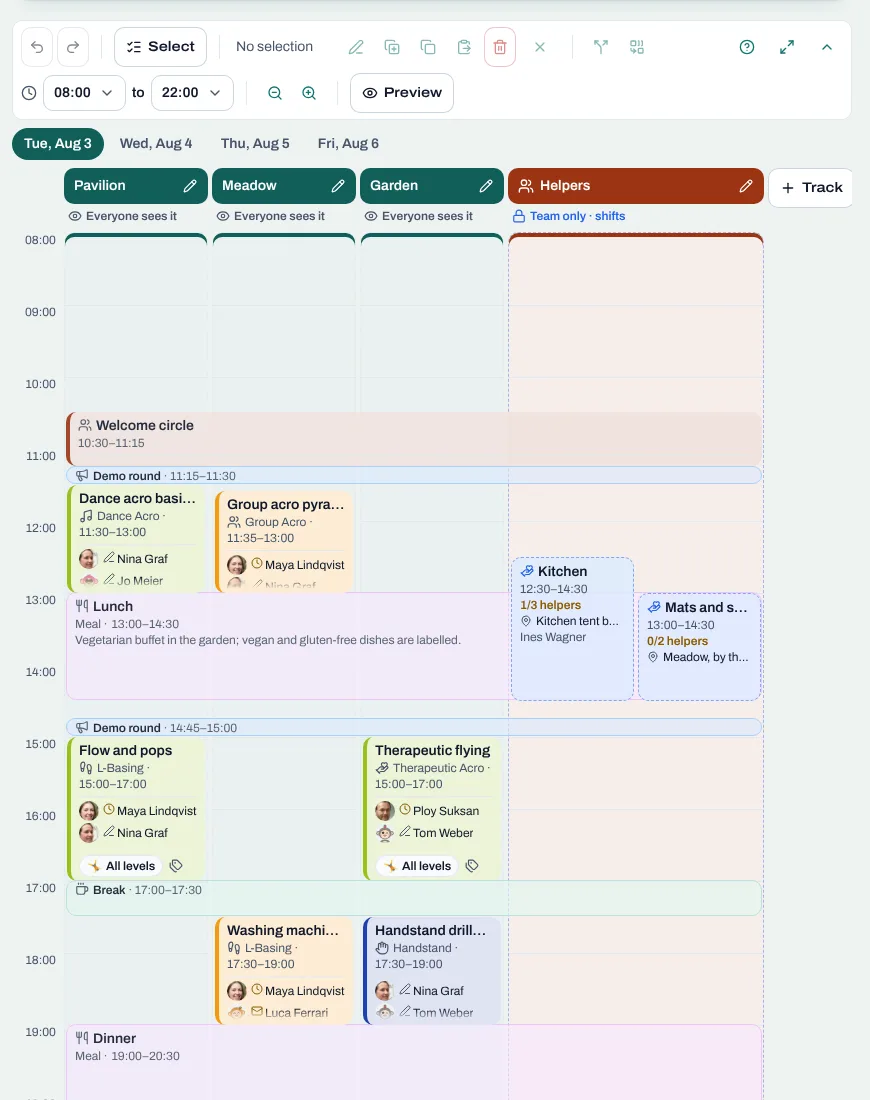
The timetable is the page of your festival that people open most. Flyers check it to see whether the Washing Machine workshop is for them, bases want to know if L-Basing and Standing clash, teachers look for their own sessions. And it is the page that changes most: lunch runs late, a teacher's train is cancelled, the meadow is too wet on Saturday morning.
Below: a template and a sample day you can use with any tool, and how AcroSpot turns them into a timetable you change calmly, without three versions on the wall. If you are still at the very beginning, start with how to organize an AcroYoga event.
The usual mess
Most festival timetables start as a spreadsheet, become a screenshot in the group chat, and end as three slightly different versions: one printed on the wall, one in the chat, one in the organizer's head. A teacher finds out on Friday that they teach three slots in a row. Nobody is quite sure which plan is the latest.
How to build a good timetable, with any tool
Start with the spaces
Make one column per space: the main hall, the pavilion, the meadow. Write down when each one is really usable (daylight outside, closing time of the hall). Where people sleep is a different plan: see festival room allocation.
Choose one rhythm for the slots
Let parallel sessions start and end at the same time, so people can switch tracks between slots. Leave a short gap for water, the toilet and walking to another space. A short demo round before each slot, where the teachers show what they will teach, helps people choose.
Put the body's needs on the plan
Breakfast, lunch, dinner, breaks and quiet hours belong in the timetable as entries of their own, not in a footnote. Acro is hard on wrists and shoulders; a Thai Massage or Therapeutic Acro session after lunch is kinder than another round of pops.
A sample festival day
- 8:00 Breakfast
- 9:30 Warm-up for everyone in the main hall
- 10:15 Demo round
- 10:30 Slot 1: four workshops side by side, one per space, from beginner to advanced
- 12:30 Lunch
- 14:00 Thai Massage or Therapeutic Acro
- 15:15 Demo round
- 15:30 Slot 2
- 17:30 Break
- 18:00 Open jam
- 19:30 Dinner
- 21:00 Show night or jam, quiet hours from 23:00
Balance levels and disciplines in every slot
In each slot, offer something for lower levels and something for advanced people, and avoid two sessions of the same discipline for the same level side by side. Write prerequisites into the session ("Star, Throne, Front Bird") so people pick well and teachers don't have to send anyone away.
Be fair to your teachers
Count sessions and hours per teacher before you publish. Check for back-to-back slots and for someone who teaches the first slot after teaching the last one the evening before.
The template: one row per session
- Day
- Start
- End
- Space
- Title
- Discipline
- Level
- Prerequisites
- Teachers
Add to it:
- A version number and date in a corner of every copy.
- One channel where changes are announced, and only one.
How AcroSpot helps
On AcroSpot the timetable is part of your event, next to the tickets and the participants. Participants find it where they bought their ticket, and every session knows its teachers and its level.
Build the grid in minutes
Add one track per space with its real opening hours, then draw sessions straight onto the grid: click a free spot, or drag to set the start and length. Drag across four tracks and you fill a whole slot at once, typing the title, teachers and level only once. A demo round before every slot takes one click, and breaks, meals and rest time get their own icon and colour. Copy, paste and undo work as you expect.
Levels you can see
Each session has a discipline, a level, prerequisites and trick categories. The card takes the colour of its level, with a legend, so colour is never the only signal. A signed-in participant who opens a session meant for another level gets a gentle note.
Fair teacher loads at a glance
Every teacher appears with their sessions and hours above the planner; tap a name and everything else dims. Sessions without a teacher are counted. Plan with positions like "Teacher A" before anyone has confirmed, invite teachers with their terms (Premium), or just type a name.
No more three versions on the wall
Once the timetable is published, every change is a draft that participants don't see yet. When you are ready, you publish the next version and tell participants, teachers and team in the same step. If a teacher falls ill, a new person takes over the position and keeps its sessions. A preview shows the cards exactly as participants see them.
Favourites and a PDF with your festival's look
Participants star the sessions they don't want to miss and see their own agenda. The PDF gives a page per day in A4 landscape, or a short agenda of one's favourites, and opens with your festival's picture: its banner or cover photo (banners, also one just for the PDF, are Premium). You decide whether participants may download it. If you also plan volunteers, read organizing helpers at a festival.
Checklist
- One column per space, with its real opening hours.
- One slot rhythm, with gaps and a demo round.
- Meals, breaks and quiet hours on the plan.
- Every slot balanced by level and discipline, prerequisites written.
- Sessions and hours per teacher counted.
- A version number and one channel for changes.
Build your next festival's timetable on AcroSpot: send a short request, and we set up your first event with you on a call. AcroSpot for organizers
Read next
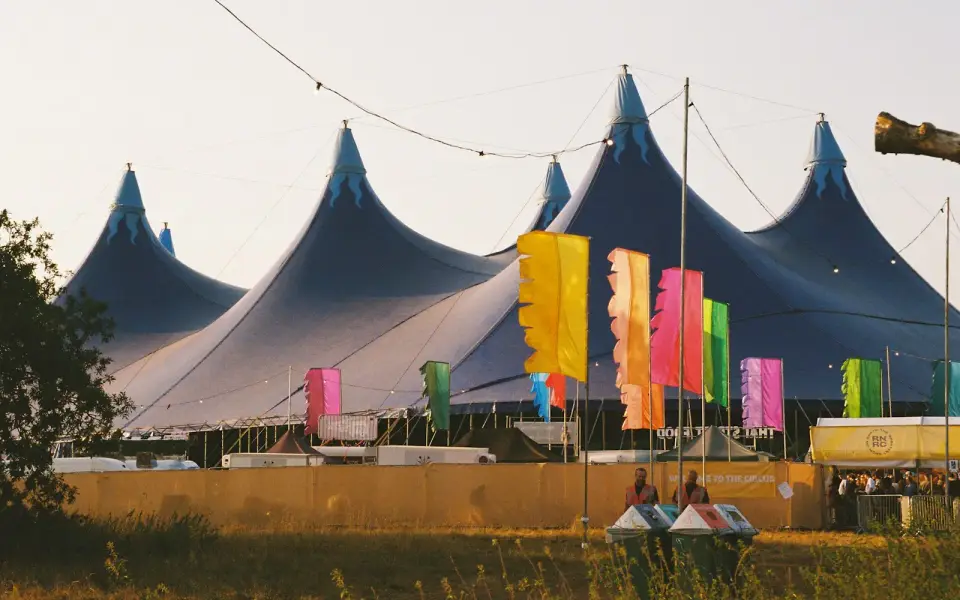
How to organize an AcroYoga festival or event, step by step
Jam, workshop, festival or retreat: the steps of organizing an AcroYoga event with a checklist, from venue and tickets to flyer and base balance and check-in.
5 min readRead
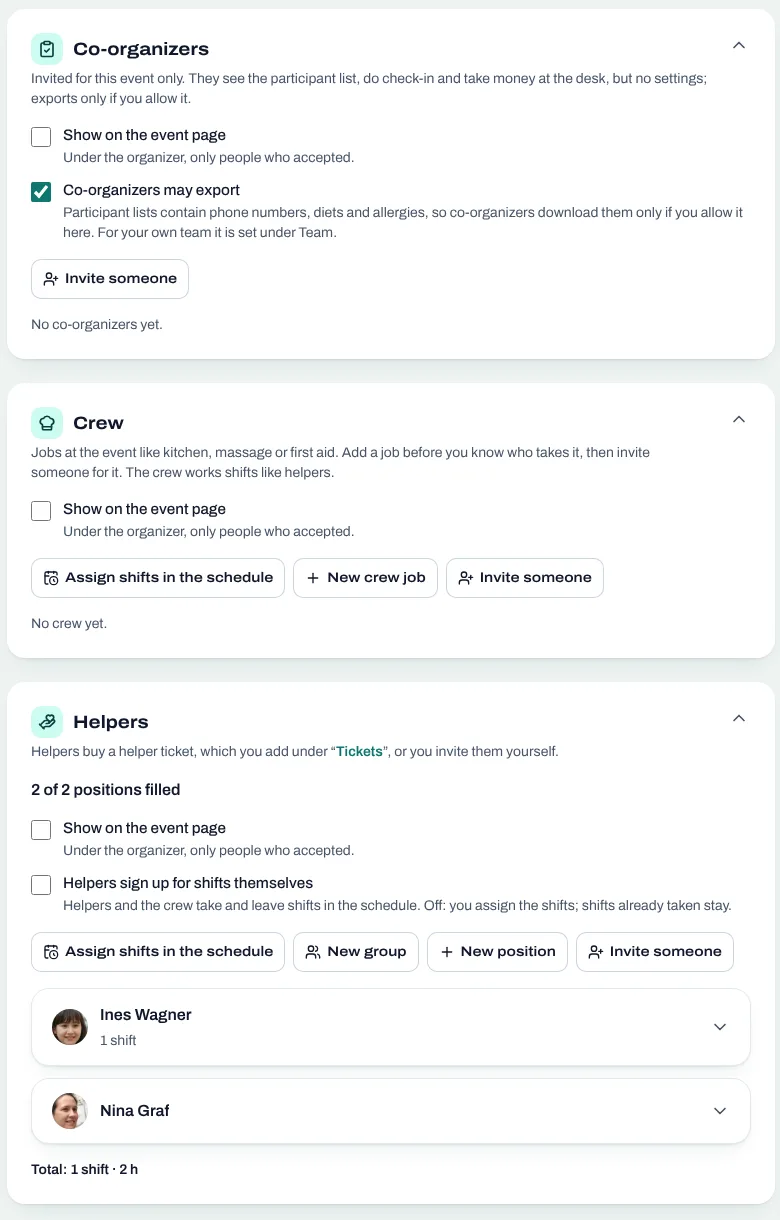
Festival volunteers: how to find, schedule and thank your helpers
Volunteer shifts, helper tickets and a welcome desk you can hand over: how to run an AcroYoga festival with a happy crew instead of doing it all alone.
5 min readRead
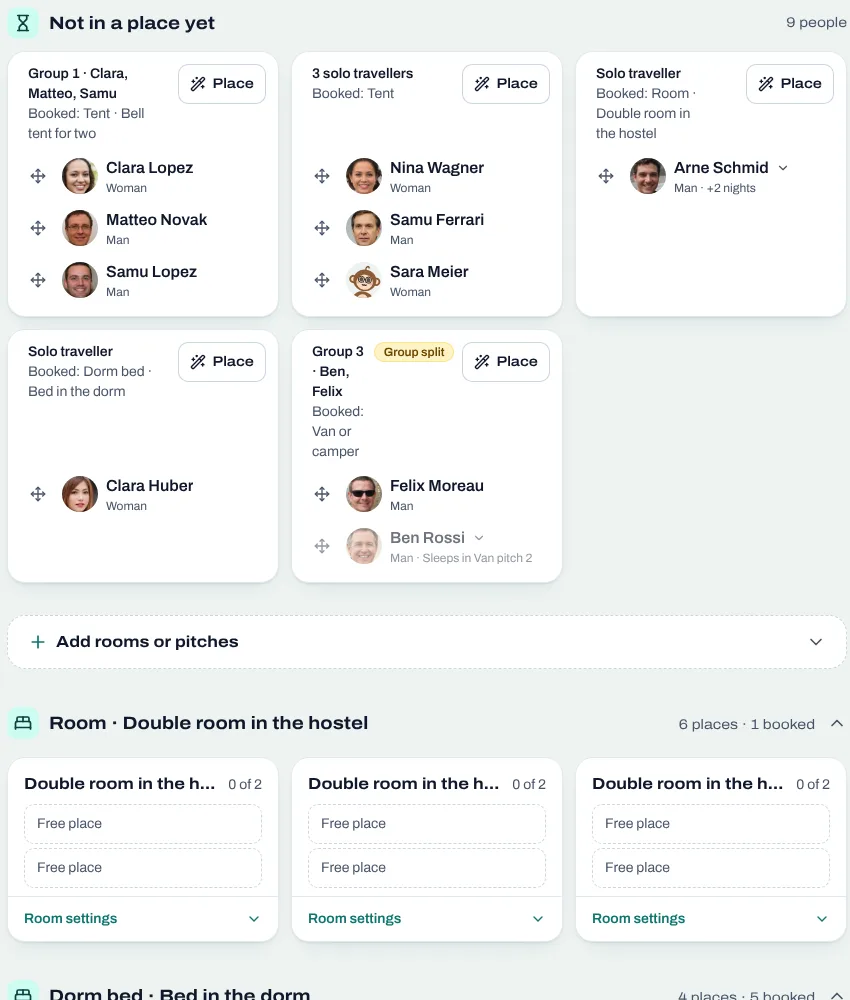
Room allocation for festivals and retreats: rooms, dorms, tents, vans
Sell rooms, dorm beds, tents and van spots with your tickets, collect room wishes, keep women-only dorms and print the room plan of your AcroYoga festival.
5 min readRead