

Version 1.17.0
Mixed or same-gender rooms, and everyone says yes
What's new on AcroSpot in v1.17.0: mixed or same-gender rooms per stay with the participant's answer, pictures you can crop again, and a reminder you can snooze
Choose per stay whether rooms are mixed or same-gender, let people say what is fine for them, crop a picture again and snooze a reminder.
 By Sandro, founder of AcroSpot2 min read
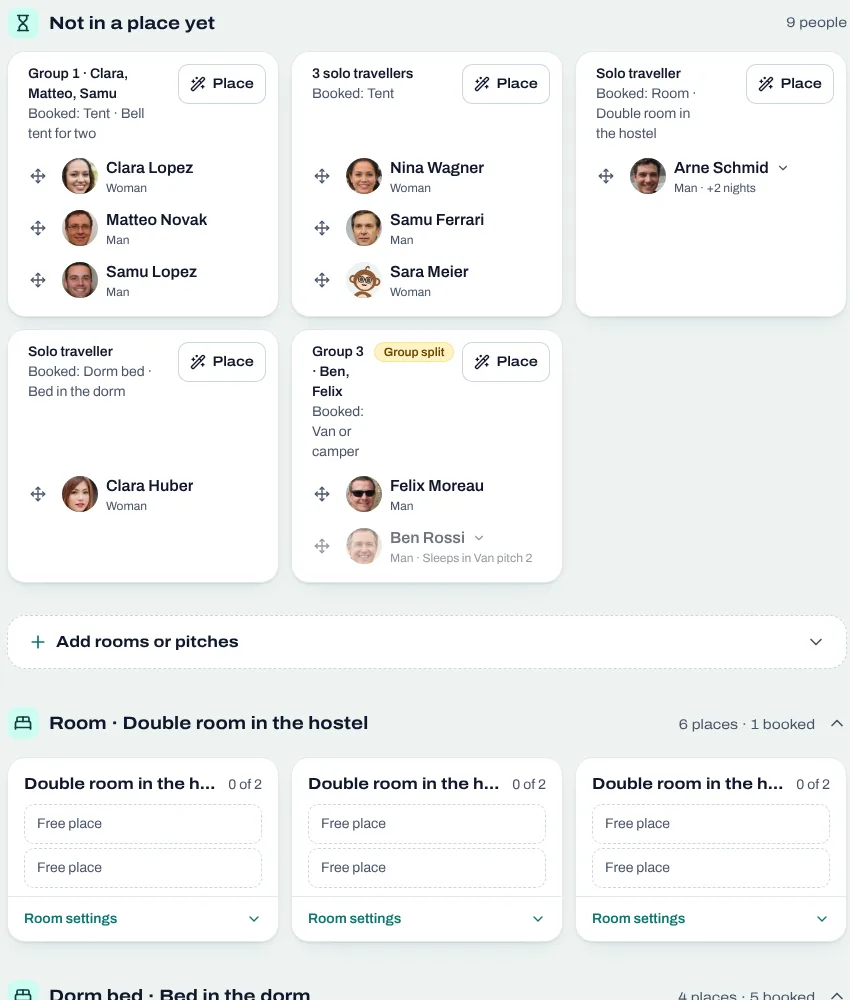
A dorm at a festival works when everyone in it is fine with who sleeps beside them. Version 1.17.0 lets you decide per stay whether its rooms are mixed or for one gender, and asks each participant what is fine for them. It also lets you crop a picture again without uploading it anew, and turns the reminder of an unfinished registration into one you can snooze.
Mixed or same-gender, decided per stay
Not every event offers same-gender rooms, and not every guest minds a mixed one. Now each stay says whether its rooms are mixed or same-gender. Where you share a mixed room with others, people tell you at sign-up whether a mixed room is fine for them. Their answer stands in the registration and in the room plan, so you place people where they feel at ease, and you no longer write to everyone to ask.
Crop a picture again
You uploaded a banner, the crop wasn't quite right, and fixing it meant uploading it again. Now every logo, banner and profile picture has Crop beside Change: it opens the picture as you uploaded it, at the frame you chose, ready to move and zoom. Organizer banners come at 5:2 with the logo's place marked, so nothing important hides behind it.
A reminder you decide on
Someone who left a registration halfway sees a bar with Continue at the top of the page. Now it also has Remind me later and Not interested, and several open registrations come one after another instead of all at once. Your participants come back when it suits them, and nobody is nagged.
And more
Members and guests of a club are in one list with a chart of the kinds. Discover shows For you, Events, Communities, Teachers, Partners and AcroMonkeys in a new order, and a new page tells communities what AcroSpot does for them. Bulk actions act only on the entries you filtered, and the error page tries again by itself once.
Want your next festival on AcroSpot? Book a short onboarding call and we set it up together.
Read next
Room allocation for festivals and retreats: rooms, dorms, tents, vans
Sell rooms, dorm beds, tents and van spots with your tickets, collect room wishes, keep women-only dorms and print the room plan of your AcroYoga festival.
5 min readRead
Version 1.16.0
Book the whole room, bring your people
What's new on AcroSpot in v1.16.0: the people in a room, tent or pitch booked whole, a Who's going card with places as dots, and every discount in one tile
Name the people in the room, tent or pitch you booked whole, show who's going as dots and faces, and keep every discount in one tile.
2 min readRead

How to organize an AcroYoga festival or event, step by step
Jam, workshop, festival or retreat: the steps of organizing an AcroYoga event with a checklist, from venue and tickets to flyer and base balance and check-in.
5 min readRead