

Version 1.16.0
Book the whole room, bring your people
What's new on AcroSpot in v1.16.0: the people in a room, tent or pitch booked whole, a Who's going card with places as dots, and every discount in one tile
Name the people in the room, tent or pitch you booked whole, show who's going as dots and faces, and keep every discount in one tile.
 By Sandro, founder of AcroSpot2 min read
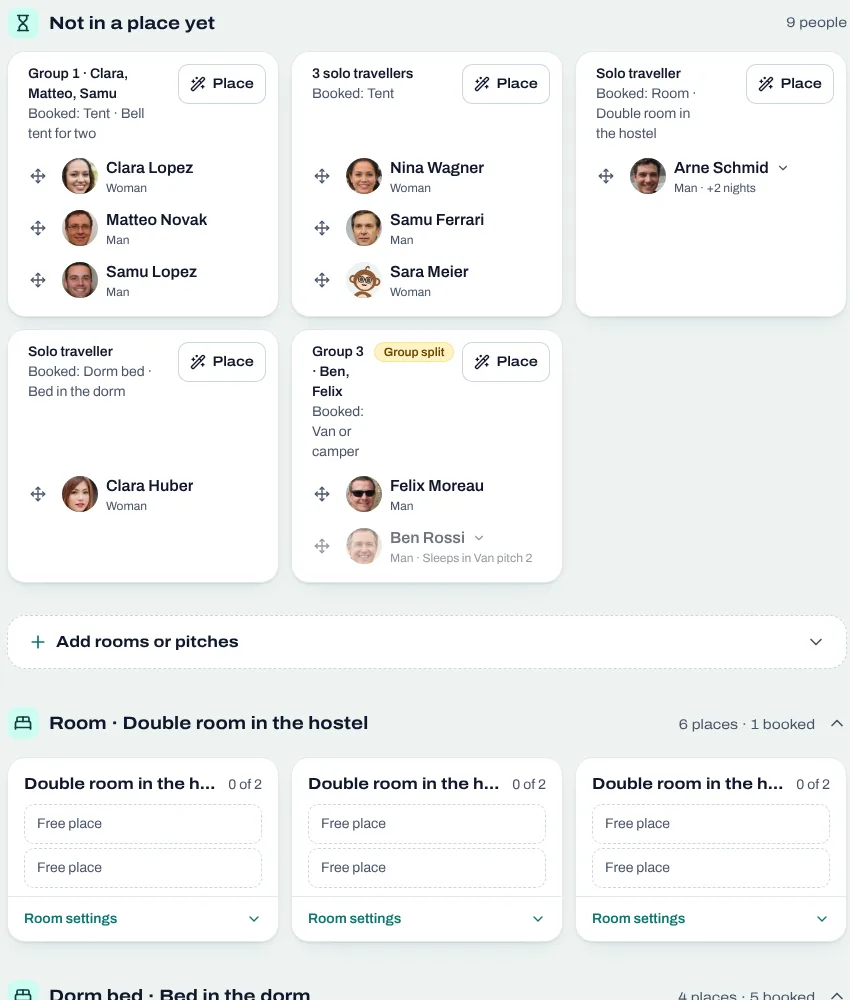
Friends travel to a festival together and want to sleep together. Until now a room booked whole was "only for you": the partner who registered on their own found no place in it. Version 1.16.0 lets the booker name the people in their room, tent or pitch, shows on your event page who's going, and puts every discount into one place.
The whole room, and the people in it
A room, a tent or a camping pitch can be sold per person or whole. Whoever books it whole now names the people who sleep there, in a box for the room beside a box for the rest of the travel group, each with its own row to add someone. The people named join the room at no cost, whether they register before or after the booker, and they show up in the room plan where they belong.
That spares you the emails of "my partner is in my room, how do they register?" and the refunds of a bed paid twice.
Who's going, at a glance
People decide faster when they see that the event is alive. The event page now has one card "Who's going": the places as dots in the role colours, on request the faces of those who come, and the numbers only from a threshold you choose, so a fresh event doesn't look empty. You decide in the event page settings what the card shows; events that kept their numbers hidden keep them hidden.
Every discount in one tile
Codes and automatic discounts lived in two places, and people asked which one to use. Now one tile "Discounts" holds all of them: a code people type in, or a discount that applies by itself, for a person who fits or for the state of the event. A limit of 0 is read as no limit instead of an error.
And more
The event search filters its list by the day you tap in the calendar, and the map and the distance ask for your location. Someone who left a registration halfway finds a bar with Continue. After buying, people can invite their friends with Share or WhatsApp. A one-off event lists its waitlist under Tickets, translations of your texts run when you press the button, into up to five languages you choose, and pages stay fast when many people book at once.
Want your next festival on AcroSpot? Book a short onboarding call and we set it up together.
Read next
Room allocation for festivals and retreats: rooms, dorms, tents, vans
Sell rooms, dorm beds, tents and van spots with your tickets, collect room wishes, keep women-only dorms and print the room plan of your AcroYoga festival.
5 min readRead

How to organize an AcroYoga festival or event, step by step
Jam, workshop, festival or retreat: the steps of organizing an AcroYoga event with a checklist, from venue and tickets to flyer and base balance and check-in.
5 min readRead
Version 1.14.0
Ask your AI assistant about your event
What's new on AcroSpot in v1.14.0: the assistant connection for every account, ways to pay you can change after sales start, and every email of a registration to send again
Connect Claude, ChatGPT or Gemini to your AcroSpot account, change how people pay even after the first registrations, and see which emails each participant got.
2 min readRead