

Version 1.12.0
A deposit now, the rest at the door
What's new on AcroSpot in v1.12.0: deposits per ticket and the rest at the door, drop-ins who pay with one tap, your own videos and photos everywhere
Take a deposit per ticket and the rest at the door in one step, let drop-ins pay with a QR code, and show your own videos and photos.
 By Sandro, founder of AcroSpot3 min read

Most AcroYoga events don't take all the money up front. A deposit holds the place, the rest comes in cash or TWINT at the door, and on a jam night half the room never booked at all. Until now that money lived in a notebook beside the check-in list. Version 1.12.0 of AcroSpot brings it into one place, and lets you show your event with your own videos and photos.
A deposit per ticket, the rest at the door
Each ticket can now carry its own deposit: a fixed amount for the full festival pass, none for the day ticket. People pay the deposit online and see right away what is left to pay and how. At the door the rest and the check-in are one step: the list shows "€300 at the door" under the person's name, and one button takes the money and checks them in. If you tapped too fast, undo takes back both.
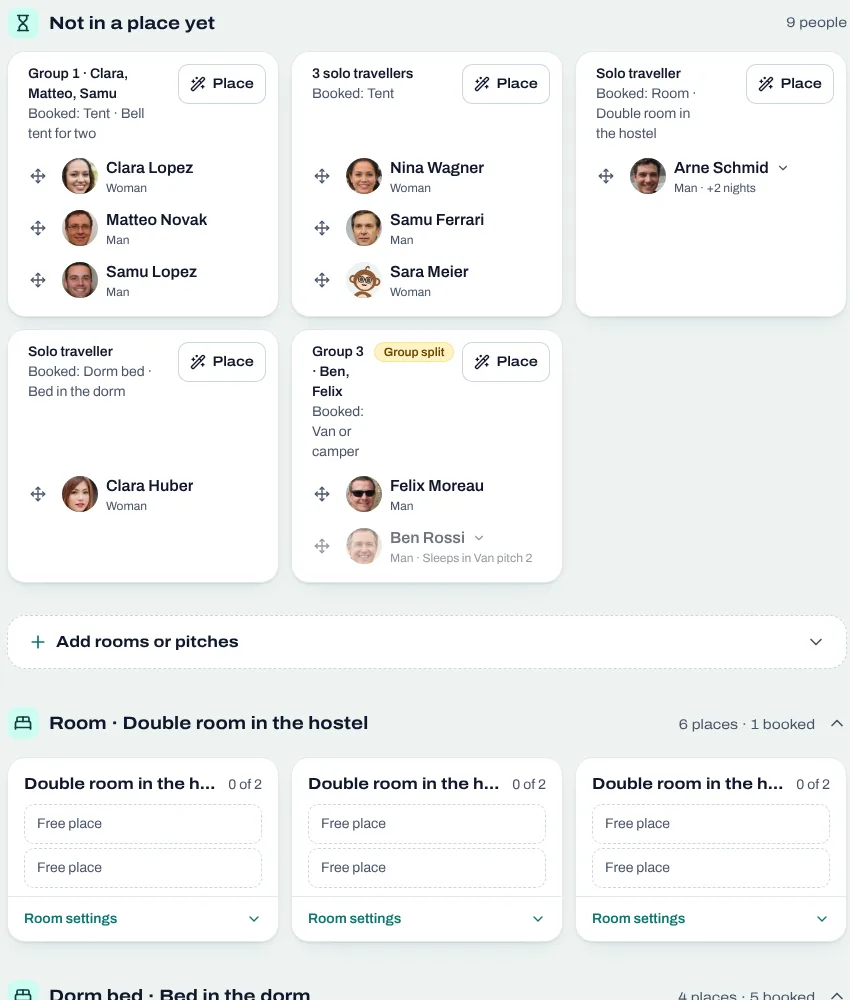
The ways people can pay sit in one dropdown with the marks of their brands: card through Stripe, bank transfer, TWINT, cash or your own. You can change them even after the first registrations came in. More on planning rooms and tickets together: room allocation for festivals.
Drop-ins pay with one tap
Turn on drop-ins and print the poster. Whoever comes without a ticket scans the QR code and either registers and pays, or only pays, without an account: they see your prices and your own ways to pay, TWINT with its QR code, cash, or a card. "I have paid" counts them and shows a "Paid" screen for the door. At check-in your team sees the evening's money by way of payment and adds a cash payment with one tap. At the end of the night you know what came in, without counting coins against a list.
Your own videos and photos, everywhere
Teachers, teams and organizers can now upload their own video instead of linking one: the browser shrinks it, and it plays in AcroSpot's own player, with no streaming service in between. Every photo gallery of an event has "Our photos", your organization's whole library, one tap to use a photo. And when a teacher accepts your invitation, they can share a folder of their photos with you, so the pictures of their classes show up in your event without a single email.
And more
People who tap the heart now see it as Interested, and it switches on the event's bell, so they hear every news of the event; the event shows how many are interested. For you fills up with events near you and what is popular right now. Club rules become tiles with their own titles and a draft before you publish. Every public page has its tabs right under the head, an organizer can step back or ask for deletion in a danger zone, and moderators see the pages greyed instead of being sent away.
Want to see it for your next event? Book a short onboarding call and we set up your festival together.
Read next

How to organize an AcroYoga festival or event, step by step
Jam, workshop, festival or retreat: the steps of organizing an AcroYoga event with a checklist, from venue and tickets to flyer and base balance and check-in.
5 min readRead
Room allocation for festivals and retreats: rooms, dorms, tents, vans
Sell rooms, dorm beds, tents and van spots with your tickets, collect room wishes, keep women-only dorms and print the room plan of your AcroYoga festival.
5 min readRead
Festival volunteers: how to find, schedule and thank your helpers
Volunteer shifts, helper tickets and a welcome desk you can hand over: how to run an AcroYoga festival with a happy crew instead of doing it all alone.
5 min readRead